Deep Dive: Action & Filter Hooks for PolyCMS Plugins
 CMS for Perfex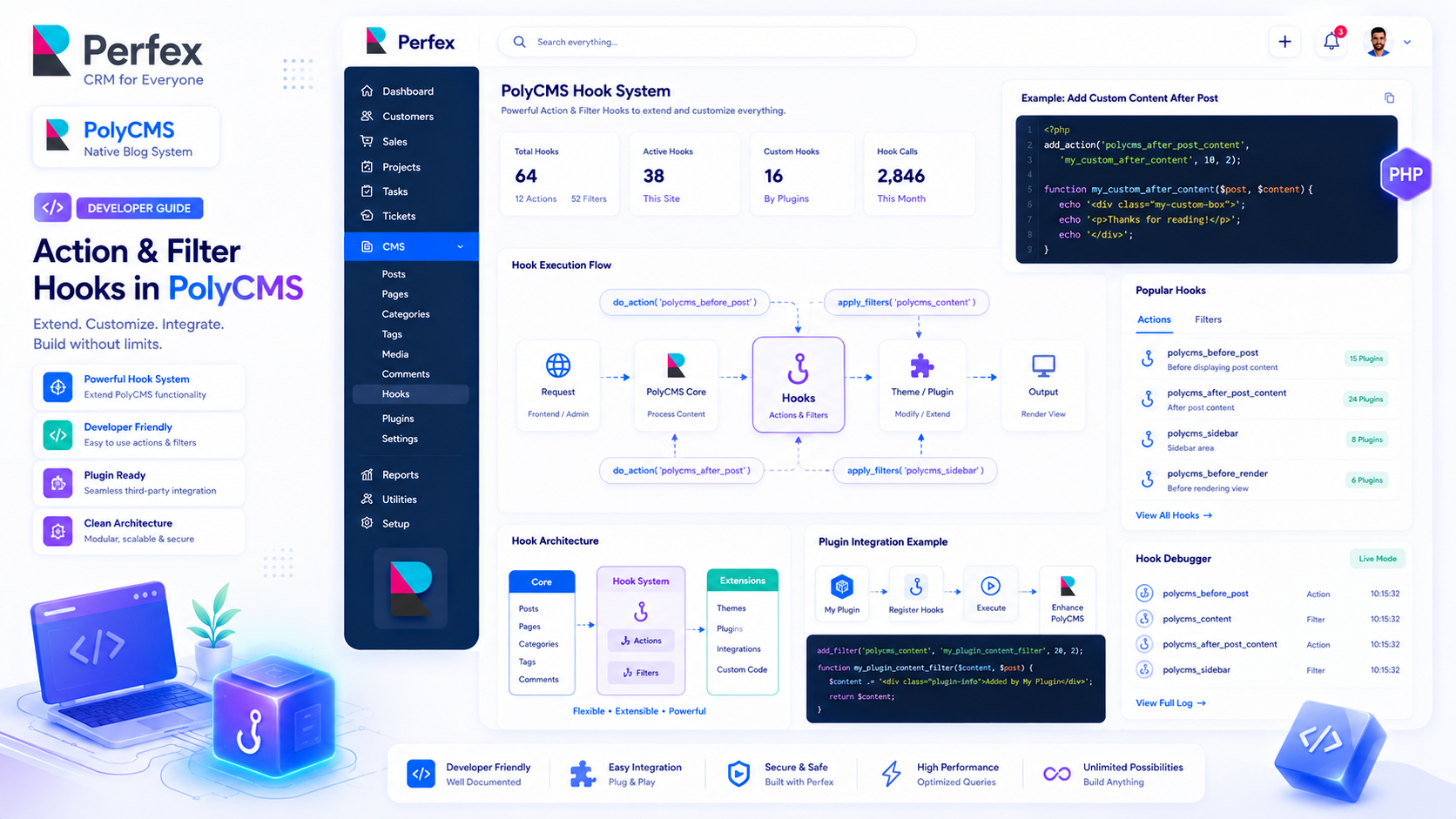
Understanding the Hooks API
If you are familiar with WordPress development, you will feel right at home with PolyCMS. The system is built on an event-driven architecture using Actions and Filters.
Actions vs. Filters
Actions (polycms_add_action) allow you to execute custom code at a specific point in the PolyCMS lifecycle. For example, sending an email notification when a new post is published.
Filters (polycms_add_filter) allow you to intercept and modify data before it is processed or displayed. For example, appending a copyright notice to the end of every post's content.
Example: Custom Meta Boxes
Want to add a custom "Featured Property Price" field to your posts? You can hook into the admin panel:
// 1. Add the meta box UI
polycms_add_action('polycms_admin_post_meta_boxes', 'my_custom_price_field');
function my_custom_price_field($post) {
    $price = polycms_get_post_meta($post->id, 'property_price');
    echo '<label>Price:</label> <input type="text" name="meta[property_price]" value="' . html_escape($price) . '">';
}

// 2. Save the meta data
polycms_add_action('polycms_after_save_post', 'my_custom_save_price');
function my_custom_save_price($post_id, $data) {
    if (isset($_POST['meta']['property_price'])) {
        polycms_update_post_meta($post_id, 'property_price', $_POST['meta']['property_price']);
    }
}
With just a few lines of code, you have extended the core database capabilities without touching a single core file!
* This is demo data for PolyCMS module for Perfex CRM to help customers explore features. If your business uses Perfex CRM and needs customizations or enhancements for integrated plugins/themes, you can leave feedback on Envato (CodeCanyon) while having active support time. Useful and suitable features will be received, integrated and updated. Explore full official docs: https://headrandom.com/oX3Im6fx